What to do when there are spaces in the file path when setting the windows system environment variable?
Original link: https://www.itylq.com/windows-path-with-blank-space.html
Release date: 2022-10-31 Migration time: 2026-03-21
In order to use some .exe tools in the cmd window without switching directories every time, it is a good choice to add the path of the .exe file to the windows environment variable. However, there is a small problem. What should I do if there are spaces in the file path of the installed software? As we all know, Windows environment variables do not support spaces.
First, I tested it and added double quotes in the English input method state to the string before and after the spaces. It seemed to have no effect... Do I have to reinstall the software and put it in a folder with space characters? ! No, in fact, we have ignored that Windows systems can also create soft and hard links. The command is mklink.

This is easy to handle, just create a directory connection for the directory with spaces (similar to a shortcut). The command is as follows:
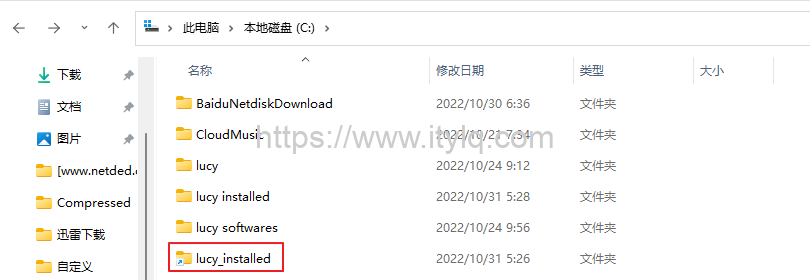
Finally, change the directory with spaces in the file path to the name of the new directory created through a soft link. For example, the original file path is C:\lucy installed\VirtualBox, change it to C:\lucy_installed\VirtualBox, and then paste it into the environment variable path.
This article was moved from WordPress to MkDocs