Laptop wireless network card yellow exclamation mark, driver installation failed, error code 56 problem solved
Original link: https://www.itylq.com/laptop-wireless-lan-drive-fail.html
Release date: 2022-09-19 Migration time: 2026-03-21
Recently, the wireless network card of a Lenovo notebook Thinkpad X1 Carbon 6th used at home suddenly became unusable, and a yellow exclamation mark was displayed in the device manager. I tried to uninstall the network card driver, but couldn't install it using the official wireless network card driver package, 360 Driver Master, Driver Wizard, Driver Life, etc.; I also tried to reset the network and reset winsock according to the instructions on the Internet. Select Update Driver, Windows prompts that the class configuration of this device is still being set. (Code 56)

Such problems are caused by Windows registry abnormalities and can be repaired using CCleaner software.
Details:
After downloading the CCleaner software portable version compressed package, unzip and double-click to run it, switch to the "Registry (G)" menu, click Scan, and then repair the registry. Repeat scanning and repairing multiple times until only 1 or 2 registry issues persist.
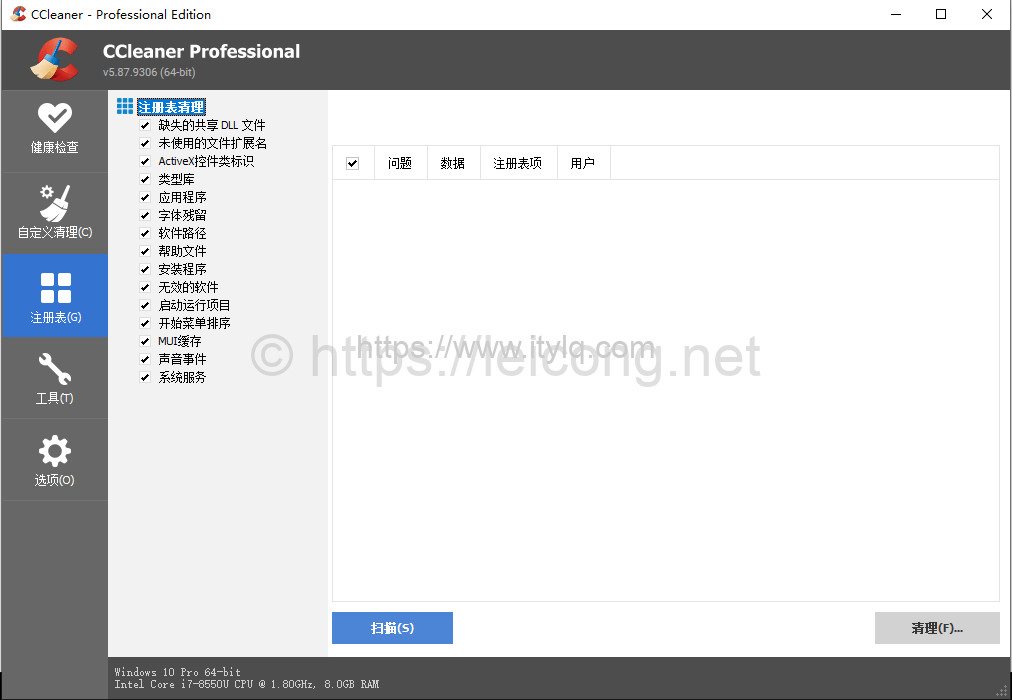
Finally, I restarted the laptop and found that the wireless network card was working normally.
Attachment: CCleaner-v5.87.9306-x64-Portable.zip
This article was moved from WordPress to MkDocs