What to do if the Windows virtual machine system under VMware Workstation forgets the Administrator login password?
Original link: https://www.itylq.com/vmware-workstation-windows-password-reset.html
Release date: 2022-09-19 Migration time: 2026-03-21
I installed a Windows Server 2012 virtual machine under vmware workstation a long time ago. I don’t know what password I set at the beginning. I tried to log in several times but failed... What should I do? Should I reinstall it? That would be too time-consuming and laborious. Think of ways to see if there is any possibility of rescue.
- Try to map the virtual machine disk, and then modify the SAM file in the windows-System32-config directory. Unfortunately, it prompts a permission problem and cannot be modified. fail.

-
Enter the command line through Windows "Troubleshooting", then replace the magnifying glass magnify.exe program with cmd.exe, and finally open the cmd program by clicking "Magnifying Glass" on the login interface, and net user changes the user password. This is theoretically possible, but unfortunately, by entering the virtual machine BIOS and setting the CD-ROM Drive as the first boot sequence, and then adding the iso file of Windows Server 2012 on the CD/DVD, it still automatically enters the SCSI hard disk when booting, and cannot enter the installation interface. Therefore, it is impossible to enter the "Troubleshooting" option through "Repair Computer (R)". Without mounting the system installation source, you can enter the "Troubleshooting" option of the system by restarting the Windows virtual machine several times. However, when repairing through the command line, you are prompted to enter the administrator password... It is stuck in an infinite loop and there is no way to go. fail.
-
Package the PE system into iso format and load it onto a CD/DVD, then go to the virtual machine "Power" - "Enter Firmware when Powering On", enter the virtual machine BIOS and set the CD-ROM Drive as the first boot sequence. Finally, restart the virtual machine and successfully enter the PE system. Finally, use the password modification tool that comes with the PE system to modify the administrator password, and the modification is successful. See the screenshot below for specific operations:
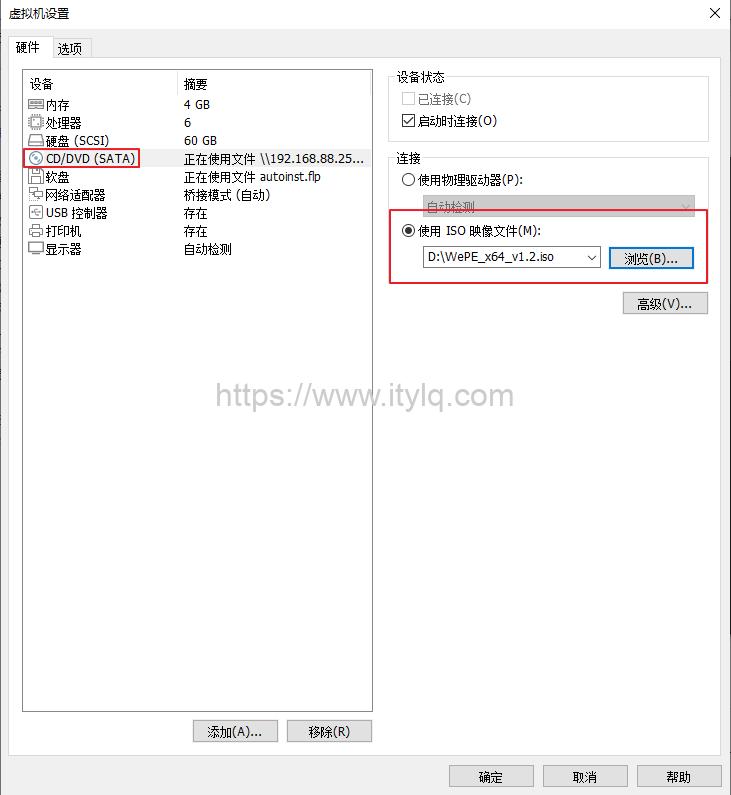
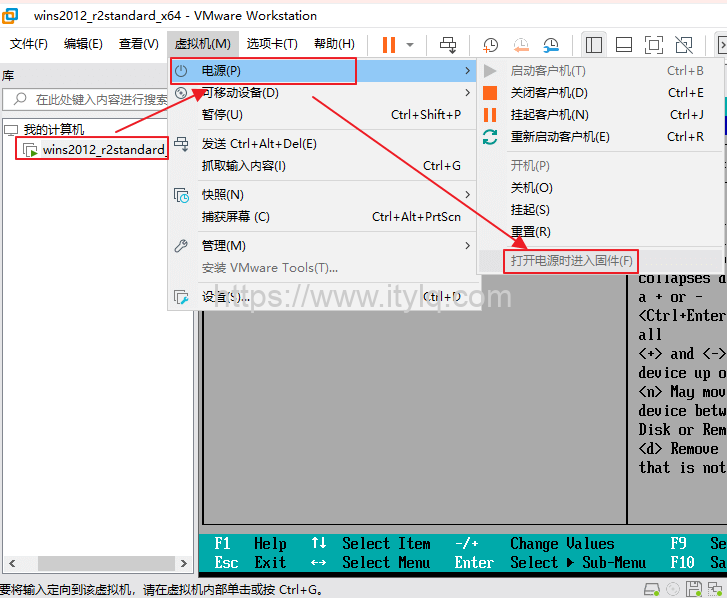
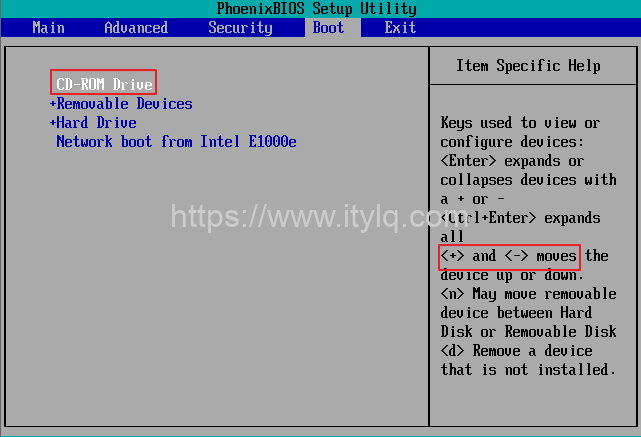
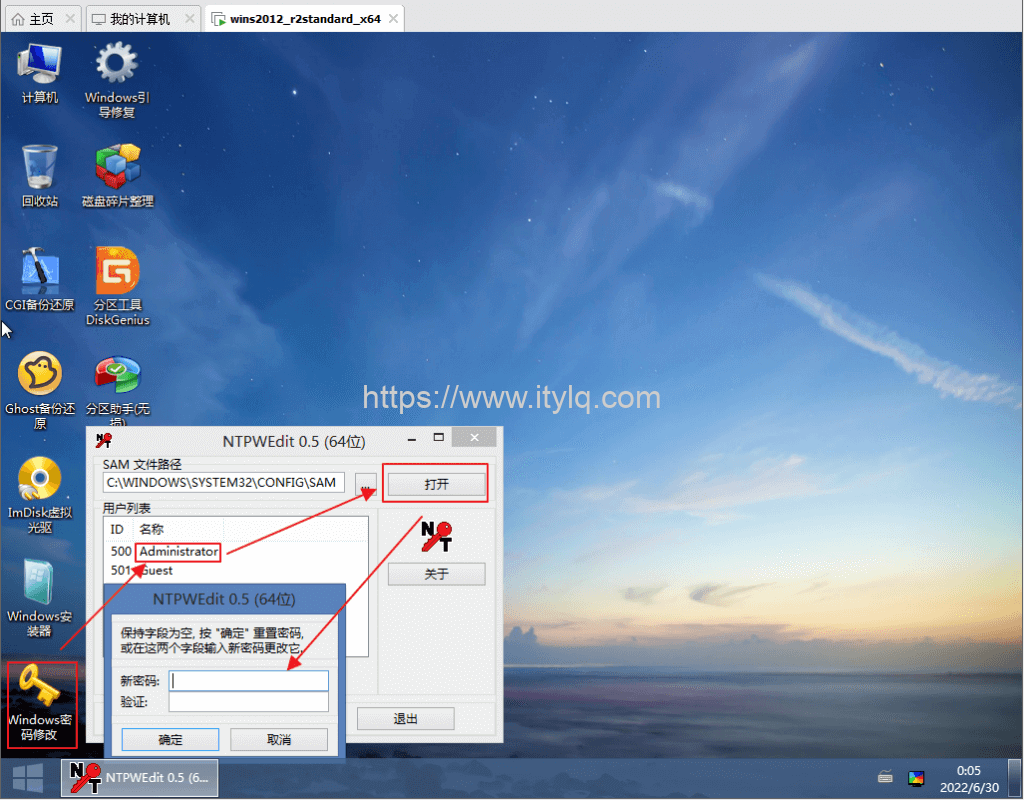
In summary, the Windows virtual machine under vmware workstation can successfully reset/modify the password through we pe. Methods 1 and 2 are theoretically feasible, but cannot be implemented in operation.
Additional:
If the physical machine disk installed in VMware Workstation is a recent NVMe solid-state disk, the default disk of the newly created Windows virtual machine is also in NVMe format. We pe version 2.2 iso is required to recognize the disk in PE mode.
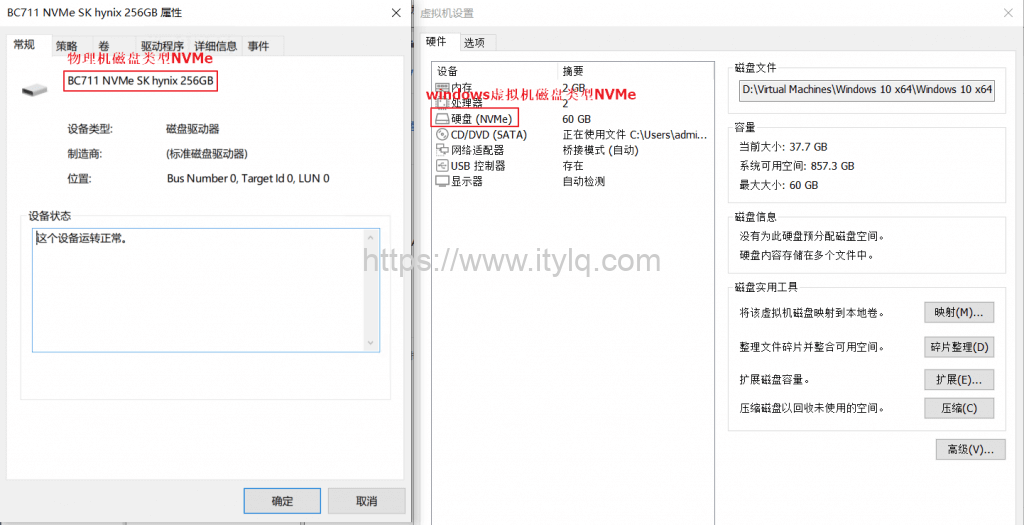
Attached:
WePE-x64-v2.2.iso #Can identify new hard drives such as NVMe
WePE-x64-v1.2.iso #Only valid for SCSI hard disks
This article was moved from WordPress to MkDocs