Knowledge Literacy - Understand the browser identification UA and try to customize it
Original link: https://www.itylq.com/knowledge-of-user-agent.html
Release date: 2023-01-31 Migration time: 2026-03-21
1 What is browser identification UA?
The browser identifier (UserAgent, referred to as UA) enables the server to identify and uniquely identify the customer's operating system and version, CPU type, browser and version, browser rendering engine, browser language, browser plug-in and other basic information, thereby determining whether the user is browsing on a computer or on a mobile phone, allowing the web page to automatically adapt. For website management personnel, it is a string of 32-bit strings separated by "-" in the shape of "c53f4b15-69ce-5708-bf7f-5ba529766f6a", which corresponds to the number of visitors (UV) in the website's statistical analysis.
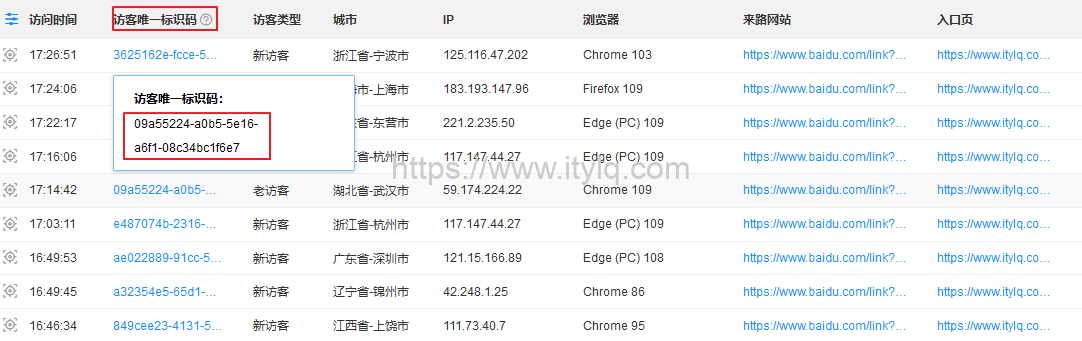
Extension: Website statistical analysis includes data indicators such as IP number, page views (PV), number of visitors (UV), number of sessions, bounce rate, average visit duration, etc.
In short, the browser identification UA is a string of ID information compiled from a series of key hardware + system + browser + network and other information, which is used to describe the subject currently browsing the web page. By identifying the UA logo, the website can adjust the layout of the web page according to the corresponding format, so that users can get a better browsing experience.
2 How to query your browser identification UA
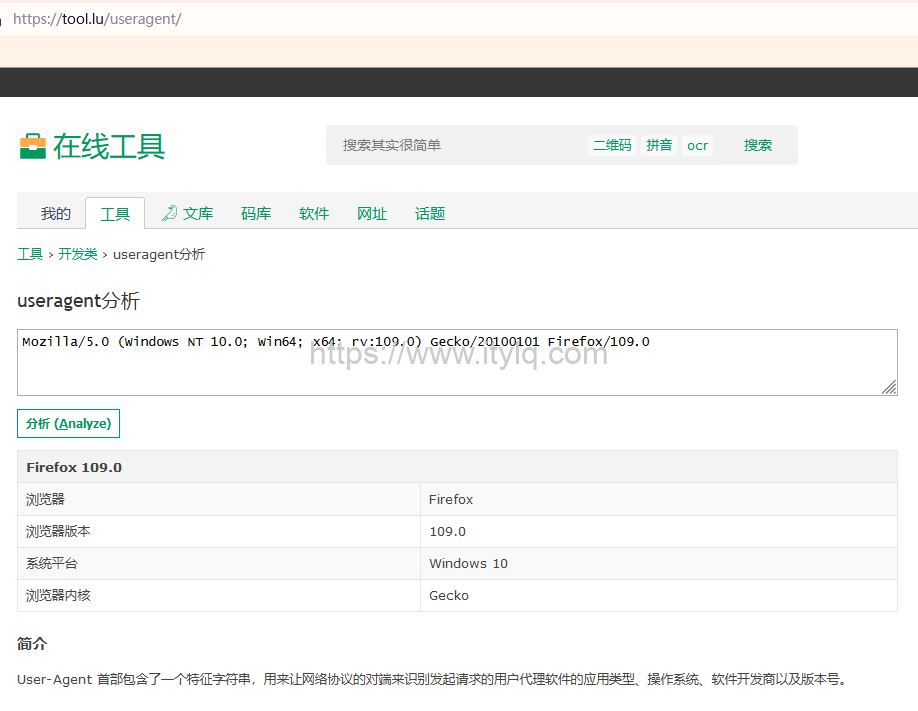
It can be viewed online at: https://tool.lu/useragent. For example, my browser identification UA is "Mozilla/5.0 (Windows NT 10.0; Win64;
3 How to modify the browser identification UA
It is relatively simple to check your own browser identification UA, but how to manually modify the browser identification? The need to modify the browser identification UA is mainly due to the intention of misleading or bypassing certain detection mechanisms of the website server. For example, the Python crawler forges and regularly changes the UA information in batches to bypass the website detection mechanism to achieve multi-threaded mass downloading of files, pictures, videos and other data resources.
For Chromium core browsers such as Chrome and Edge, you can modify the UA through the plug-in User Agent Switcher. For Firefox browsers, you can use the plug-in User-Agent Switcher and Manager.
4 UA modification usage example
Use the above UA modification tool to modify the browser identification UA to WeChat UA, for example:
Mozilla/5.0 (Linux; Android 6.0; NEM-AL10 Build/HONORNEM-AL10; wv) AppleWebKit/537.36 (KHTML, like Gecko) Version/4.0 Chrome/57.0.2987.132 MQQBrowser/6.2 TBS/043906 Mobile Safari/537.36 MicroMessenger/6.6.1.1220(0x26060133) NetType/WIFI Language/zh_CN
In this way, by modifying the browser identifier UA, we can browse some web pages on the desktop browser that could only be opened through WeChat on the mobile phone.
This article was moved from WordPress to MkDocs