Qunhui NAS uses Docker containers to build KMS local servers to provide activation services for LAN computer Windows systems.
Original link: https://www.itylq.com/synology-docker-vlmcsd-for-windows-active.html
Release date: 2023-02-18 Migration time: 2026-03-21
1 Preparation
A master has developed and open sourced the KMS simulator - Vlmcsd. The github project address is: https://github.com/Wind4/vlmcsd. Download the binaries.tar.gz file of the latest release version vlmcsd-1113-2020-03-28-Hotbird64 from the above github website, unzip it, expand binaries\Linux\intel\static\vlmcsd-x64-musl-static in order, and rename the vlmcsd-x64-musl-static file to vlmcsd.
2 KMS setup
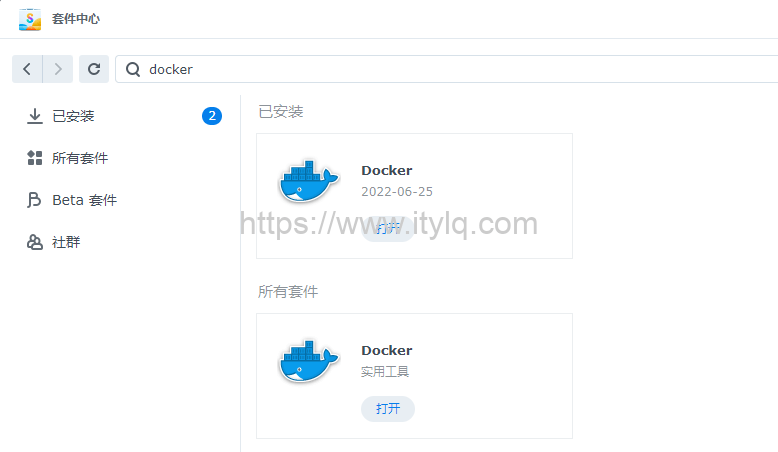
2.1. Log in to the Qunhui DSM system through the web page, search and install docker in the package center:
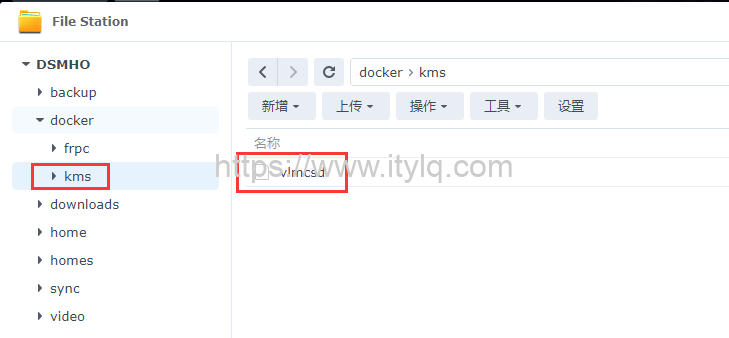
2.2. Open the File Station file manager, create a new folder in the docker directory, rename it to kms, and then upload the vlmcsd file extracted and renamed in the preparation work to the kms folder:
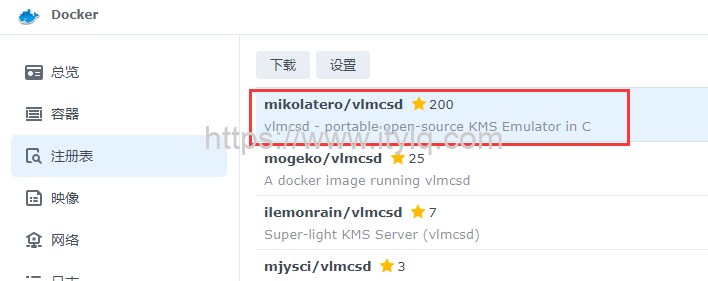
2.3. Open the Docker container, search for "vlmcsd" in the registry, and double-click the first one to download (with the most stars):
2.4. Switch the Docker container to the image menu (the image downloaded successfully through the registry will be displayed in this menu), double-click the downloaded mikolatero/vlmcsd in the image to create the container, and select "Use the same network as Docker Host" for the network:
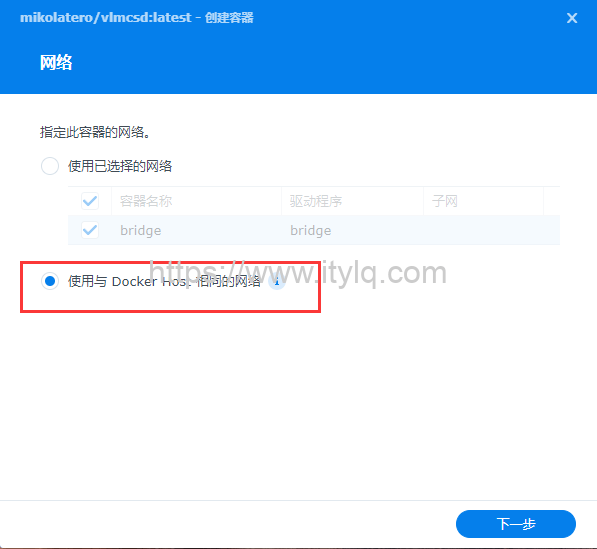
Note: In order to ensure that the IP address of the created vlmcsd container is in the same LAN as the Qunhui NAS device, remember to select the same network as the Docker Host here; if you select the bridge network, the IP address of the last created vlmcsd container is 172.16. So, try not to complicate your job...
2.5. Check "Enable automatic restart". Next, select "Add File" in "Storage Space Settings", and then select the vlmcsd file uploaded in step 2.2:
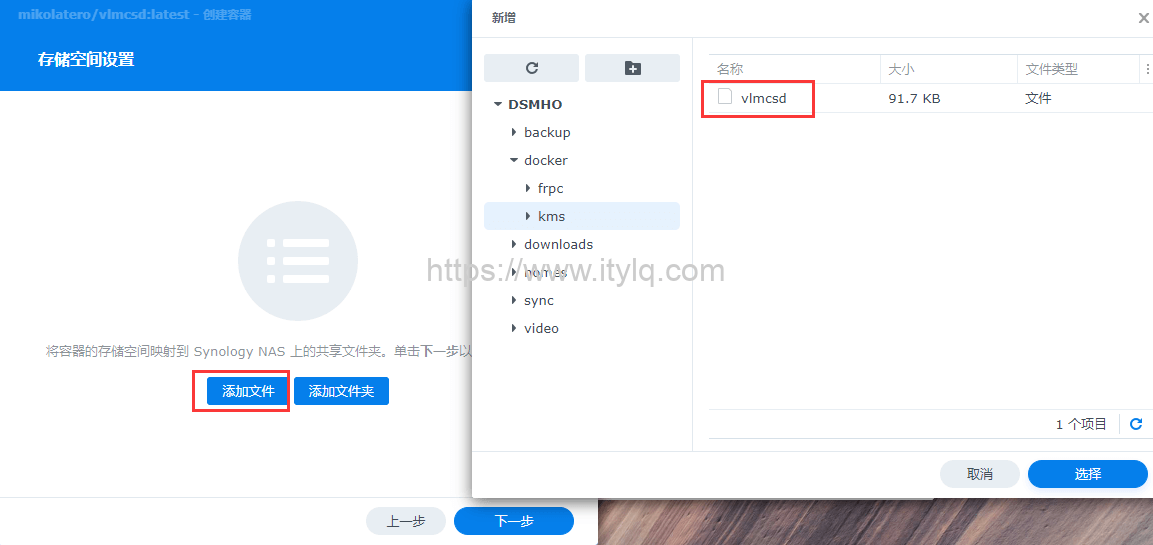
2.6. Fill in "/etc/kms/vlmcsd" in the loading path:
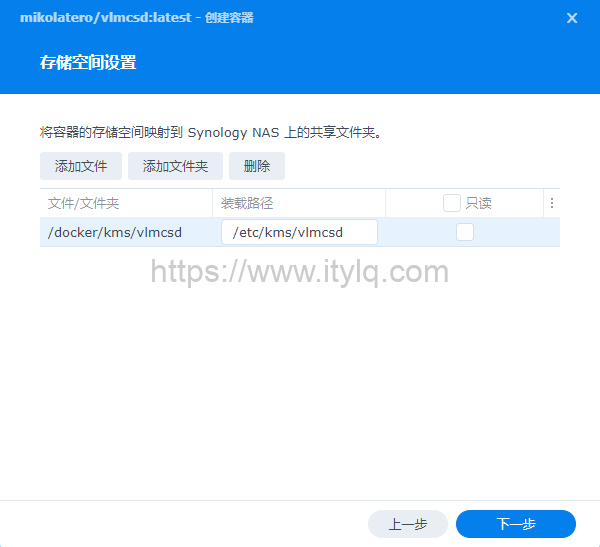
2.7, next step until completed. You can view the running status of the installed vlmcsd container through the Docker "Container" menu. The screenshot is omitted. View the LAN IP address currently automatically obtained by vlmcsd through the Docker "Network" menu.
3 LAN phone activation
The latest release version vlmcsd-1113-2020-03-28-Hotbird64 supports win10, windows server and office, etc. Windows and office are activated through the cmd command line.
3.1. Windows system activation: //Enter the following command in cmd, and the serial number will be modified according to the system version.
Assume that the IP address of the vlmcsd container viewed through step 2.7 is 192.168.88.254.
slmgr.vbs-upk
slmgr.vbs -ipk NPPR9-FWDCX-D2C8J-H872K-2YT43
slmgr.vbs -skms 192.168.88.254
slmgr.vbs-dlv
slmgr.vbs /ato
Description:
win 10 enterprise serial number: NPPR9-FWDCX-D2C8J-H872K-2YT43;
win 10 enterprise LTSC 2019/win 10 Enterprise LTSC 2021 serial number: M7XTQ-FN8P6-TTKYV-9D4CC-J462D;
windows server 2016 standard version serial number: WC2BQ-8NRM3-FDDYY-2BFGV-KHKQY.
Please search Baidu for the serial number of each system version.
3.2. Office software activation: //You need to find the path to the office first
cd C:\Program Files\Microsoft Office\Office16
cscript ospp.vbs /sethst:192.168.88.254
cscriptospp.vbs/act
3.3. Renewal: After activation through KMS, it will need to be activated again after 180 days.
This article was moved from WordPress to MkDocs