How to switch Synology NAS system to root user?
Original link: https://www.itylq.com/synology-dsm-switch-root.html
Release date: 2023-10-23 Migration time: 2026-03-21
For security reasons, Synology officials do not allow direct login with the root user through web pages and SSH remotes by default. But some operations require root privileges, so how to switch to root users?
Using the 'su – root' or 'su root' commands directly is not allowed, and 'Permission denied' is prompted.
If you need to save the country with a curve, first enter the shell interface through the 'sudo -s' command, and then use the 'su – root' command to successfully switch to the root user, see Figure 1 below.
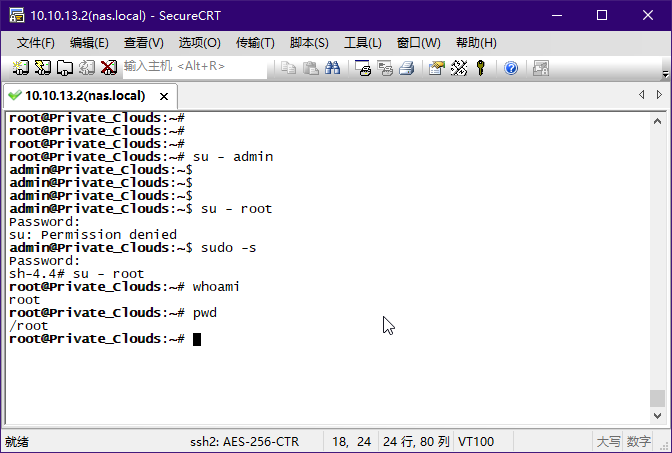
The prompt prefix, whoami, and pwd commands further determine that the switch to root has been successfully switched, and the current user is the root user.
When logging out from a high-privileged root user to a normal user admin, you can directly use the "su – admin" command.
This article was migrated from WordPress to MkDocs