OpenSSH service prompts "Permission denied" to solve the problem of access denial
Original link: https://www.itylq.com/openssh-permission-denied-solution.html
Release date: 2025-11-06 Migration time: 2026-03-21
1 Problem description
After the server is upgraded/installed with a new version of OpenSSH, the client logs in remotely through SSH and prompts "Permission denied" to deny access.
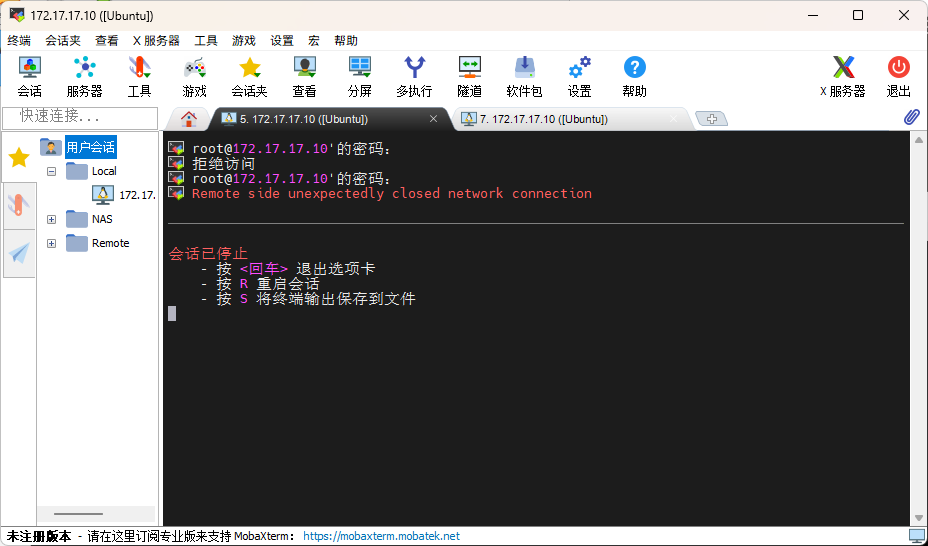
2 solutions
This kind of problem is relatively common, and most of them are due to the enhanced security mechanism after the application's new upgrade. In OpenSSH version 9.0 and later, "streaking" using the root account is prohibited by default and can be modified manually through the sshd_config configuration file.
Method 1:
Create and configure a non-root account for login, which is omitted;
Method 2:
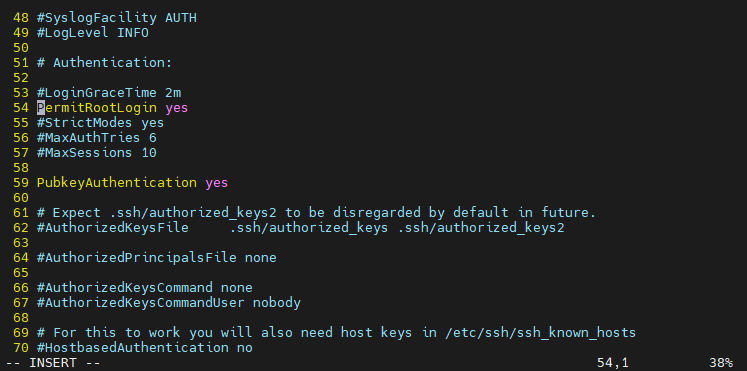
Still use the root account, but use the public key/secret key file verification method to log in. Find the OpenSSH configuration file. The default path is "/etc/ssh/sshd_config".
vim /etc/ssh/sshd_config
# Locate lines 54 and 57 and remove the preceding comment symbols.
PermitRootLogin prohibit-password
PubkeyAuthentication yes
# Save and exit, restart ssh service
systemctl restart ssh
The client can pass the verification using the private key file.
Method 3:
If you are confused and want to log in using the root account, just change the "PermitRootLogin" configuration item to "yes".
This article was moved from WordPress to MkDocs